Swansea Data Recovery: The UK’s External HDD & NAS Recovery Specialists
For 25 years, Swansea Data Recovery has been the UK’s leading specialist in recovering data from External Hard Drives and Network-Attached Storage (NAS) devices. We understand the critical data held on these portable and network drives—from family photos to business archives. We are equipped with the advanced tools to tackle every type of failure, from simple logical errors to complex mechanical and electronic damage across all manufacturers and interfaces.
Top 30 External HDD Manufacturers & Popular Models in the UK
We support and recover data from every major external drive manufacturer, including but not limited to:
Supported Interfaces & Fault Types
We recover data from every interface used in external and NAS storage:
-
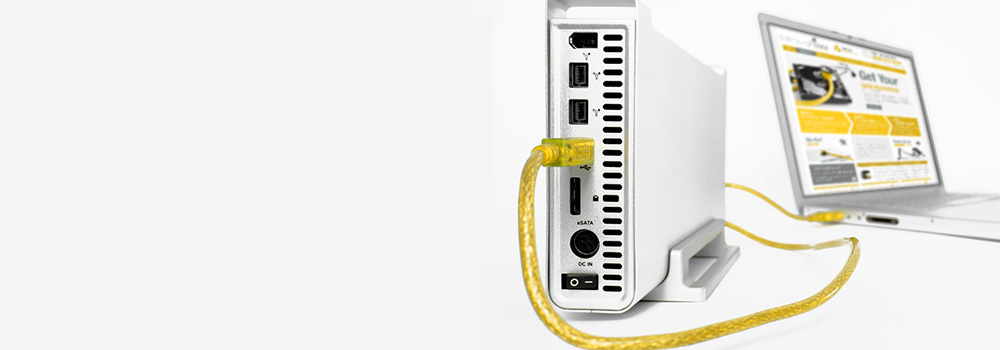
Common External Interfaces: USB 2.0, USB 3.0, USB 3.1, USB-C, Micro-USB, FireWire 400/800, eSATA.
-
Internal Drive Interfaces (within enclosures): SATA (I, II, III), PATA (IDE), SAS, SCSI, PCIe, NVMe, M.2 (SATA & NVMe), U.2.
-
NAS-Specific Connections: Ethernet, directly from the SATA/SAS bays.
We specialise in all associated faults, including Mechanical Failure, Bad Sectors, Firmware Corruption, Logical Corruption, PCB Failure, Accidental Deletion, and more.
Top 25 External Hard Drive Errors & Our Technical Recovery Process
Here is a detailed breakdown of the most common failures we resolve, with a technical insight into our lab processes.
1. USB Bridge Board / PCB Failure
-
Summary: The external enclosure’s interface board has failed, often due to a power surge or physical damage, preventing communication with the internal drive.
-
Technical Recovery: We bypass the external enclosure and connect the internal drive directly to our PC-3000 or DeepSpar hardware. If the internal drive is standard SATA/PATA, we image it directly. If the drive uses a proprietary interface or hardware encryption on the bridge board, we must repair the original bridge or source a compatible donor to act as a translator. We use soldering stations and chip programmers to transfer any necessary firmware from the original bridge board to a donor.
2. Accidental File Deletion or Formatting
-
Summary: The user has deleted files or formatted the drive, removing the logical file system structure.
-
Technical Recovery: We create a forensic sector-by-sector image of the drive to prevent overwriting. Using tools like R-Studio and UFS Explorer, we perform a deep scan of the entire drive, parsing raw data for file signatures (file carving) and analysing surviving file system metadata (e.g., $MFT for NTFS, Catalog File for HFS+). For formatted drives, we reconstruct the partition boot sector and directory tree by locating backup copies of the file system metadata.
3. Mechanical Bearing / Spindle Motor Failure
-
Summary: The motor that spins the platters has seized due to worn bearings, often resulting in a quiet drive that doesn’t spin up or emits a grinding noise.
-
Technical Recovery: The HDA (Hard Drive Assembly) is opened. The entire platter stack and bearing assembly is transplanted into an identical donor HDA with a confirmed healthy motor. This requires extreme precision to maintain platter alignment. The donor HDA is then connected to our imaging hardware to create a clone.
4. Head Stack Assembly (HSA) Failure – “Click of Death”
-
Summary: The read/write heads are damaged or contaminated, causing the drive to click repeatedly as it fails to read service data and re-calibrate.
-
Technical Recovery: The damaged HSA is carefully removed. We source a compatible donor HSA from our inventory. A critical step is often micro-soldering to transfer the original preamplifier (pre-amp) chip from the patient HSA to the donor HSA to ensure compatibility with the drive’s unique adaptive data. The donor heads are installed, and the drive is immediately imaged using hardware that controls read retries to prevent new head damage.
5. Firmware Corruption in Service Area
-
Summary: The drive’s internal operating system, stored in the Service Area on the platters, is corrupted. The drive may not be detected, or may freeze during initialisation.
-
Technical Recovery: Using a utility like PC-3000, we place the drive into a technological mode to bypass the public firmware. We directly access the Service Area to diagnose and repair corrupted modules (e.g., TRANSLAT, SMART, CERT). This involves using factory-level commands to rewrite damaged modules with known-good versions from our database, carefully adapting them to the specific drive’s configuration parameters stored in its RAM.
6. Bad Sectors & Media Degradation
-
Summary: The magnetic surface of the platters has developed weak or unreadable areas, leading to data read delays and failures.
-
Technical Recovery: We use hardware imagers (DeepSpar, Atola) with sophisticated control algorithms. The process involves reading data in a non-destructive manner, employing techniques like soft-resets to bypass unreadable sectors and adjusting read timeout/retry parameters. For persistent areas, we may apply a firmware-level tweak to temporarily reduce the drive’s read retry thresholds (e.g., modifying the “Read Retry” and “Read Fly Height” adaptive parameters) to extract data before the drive marks it as permanently bad.
7. Power Surge / TVS Diode Failure
-
Summary: A voltage spike has damaged protection components on the PCB, such as the Transient Voltage Suppression (TVS) diodes, fuses, or the main controller.
-
Technical Recovery: The PCB is inspected under a microscope. We test and replace shorted TVS diodes and blown fuses. If the main controller is damaged, we perform a “ROM transfer”: the serial EEPROM chip containing the drive’s unique adaptive data is desoldered from the patient PCB and transplanted onto a compatible donor PCB using a hot-air rework station. The donor board is then tested.
8. SSD Controller Failure
-
Summary: The SSD’s main processor (controller) has failed, rendering the NAND flash memory chips inaccessible via standard interfaces.
-
Technical Recovery: We perform a “chip-off” recovery. The NAND flash memory chips are carefully desoldered from the SSD’s PCB using a reflow station. Each chip is read individually using a dedicated NAND programmer (e.g., PC-3000 Flash). The raw binary dumps from all chips are then processed through our software, which uses controller-specific algorithms to reverse-engineer the RAID-like striping, XOR parity, wear-leveling, and block mapping to reassemble the original logical data.
9. NAND Flash Wear-Out / SSD Degradation
-
Summary: The flash memory cells have reached their program/erase cycle limit, leading to a high rate of uncorrectable errors that the drive’s internal ECC cannot fix.
-
Technical Recovery: Similar to controller failure, we perform a chip-off procedure. The raw NAND dumps contain a high bit error rate. Our processing software employs advanced, often proprietary, ECC algorithms that are more powerful than the drive’s built-in ECC. We also adjust the read reference voltages for the aged NAND cells through a process called “read retry calibration” to extract the most accurate data possible from the degraded cells.
10. Platter Surface Scoring / Head Crash
-
Summary: Physical contact between the read/write heads and the platters has scratched the magnetic surface, permanently destroying data in those tracks.
-
Technical Recovery: After disassembly and head replacement, we use our imaging hardware to perform a full surface scan. The imager is configured to skip heavily damaged areas instantly to prevent new head damage. We recover all readable data first. For the scratched areas, we may perform multiple passes with varying physical head actuator offsets and adjusted read channel settings (like MR head bias) to attempt to read any remaining magnetic flux transitions from the edges of the damaged tracks.
11. Logical File System Corruption (NTFS, HFS+, APFS, EXT4)
-
Summary: Critical file system structures are corrupted due to unsafe ejection, software bugs, or system crashes.
-
Technical Recovery: We work with a disk image. Our engineers perform manual file system repair by locating backup copies of critical metadata (e.g., $MFTMirr for NTFS, Superblock backups for EXT4). For complex corruptions, we use a hex editor to analyse and patch the damaged structures directly, ensuring consistency between the metadata and the actual file data runs. For APFS, we reconstruct the space manager and object map.
12. NAS Drive Failure & RAID Configuration Issues
-
Summary: A single drive has failed in a multi-bay NAS, or the RAID configuration (e.g., SHR) has become corrupted.
-
Technical Recovery: We image every drive from the NAS individually. Using RAID recovery software, we manually determine the RAID parameters (stripe size, order, parity rotation, and disk order) through statistical analysis of the data patterns. We then create a virtual RAID reconstruction. For proprietary systems like Synology Hybrid RAID (SHR), we reverse-engineer the configuration metadata to reassemble the volume.
13. Encrypted Drive Failures (Hardware & Software)
-
Summary: The drive is encrypted (e.g., BitLocker, FileVault, hardware AES), and the drive has a physical failure, or the password is lost.
-
Technical Recovery: We first resolve the underlying physical issue (e.g., PCB, heads, firmware). Once the drive is physically stable and we can image it, the encrypted image is mounted. For hardware encryption on external drives, repairing the original USB bridge is often critical, as the encryption key is tied to it. For software encryption, we rely on the user providing the password or recovery key to decrypt the image.
14. Overheating Damage
-
Summary: Chronic overheating has weakened solder joints (causing “cold solder joints”), degraded electronic components, and accelerated media degradation.
-
Technical Recovery: The PCB is reflowed using a BGA station to repair cracked solder joints under the main controller and RAM. Components are tested for thermal degradation. The drive is then imaged in a temperature-controlled environment, with our hardware monitoring drive health in real-time. We pause the imaging process if the drive’s SMART temperature or error counts rise to dangerous levels.
15. Water & Liquid Damage
-
Summary: The external drive has been exposed to corrosive liquids, causing PCB corrosion and potential internal contamination.
-
Technical Recovery: The PCB is immediately cleaned with high-purity isopropyl alcohol using an ultrasonic cleaner if necessary. It is then inspected under a microscope for corroded traces and components, which are repaired. The HDA is opened, and all internal components are meticulously cleaned to remove residue. Heads and platters are often transferred to a donor HDA to prevent future corrosion-related failures.
16. Partition Table Corruption (MBR/GPT)
-
Summary: The Master Boot Record or GUID Partition Table is damaged, making all partitions on the drive appear lost.
-
Technical Recovery: We perform a full sector-by-sector image. We then scan the entire drive for backup copies of the partition table. For MBR, we look for a backup copy at the drive’s end. For GPT, we use the primary GPT header to locate the secondary GPT, which is usually intact. If backups are corrupted, we manually reconstruct the table by scanning for partition boot records (e.g., NTFS $BOOT, FAT32 DBR) and calculating partition boundaries.
17. Virus & Ransomware Infection
-
Summary: Malicious software has encrypted, deleted, or corrupted files.
-
Technical Recovery: We image the drive. For ransomware, we analyse the encryption method; in some cases, known decryption tools are available. For data destruction, we use the same techniques as for accidental deletion and file system corruption. We also scour the drive for shadow copies (Volume Snapshot Service), temporary files, or file system journal logs that may contain uncorrupted versions of the data.
18. Failed NAS/SAN Synchronisation or Rebuild
-
Summary: A RAID rebuild or storage pool expansion failed, often due to a second drive failing during the process or encountering bad sectors.
-
Technical Recovery: We image all drives involved. Using the images, we reconstruct the state of the array before the failed rebuild attempt. This often involves manually calculating parity to recover data that was being written or reorganised during the failed process, effectively “rolling back” the logical volume to its last consistent state.
19. Unstable Drives – G-List / P-List Overflow
-
Summary: The drive’s internal defect management tables (G-List and P-List) are full, causing the drive to run slowly and eventually fail as it can no longer reallocate bad sectors.
-
Technical Recovery: We use hardware tools to access the drive’s Service Area and read the defect lists. We can clear the grown defect list (G-List) and perform a full surface scan with our imager, which has its own, more robust, bad sector management. This allows us to stabilise the drive temporarily to extract the maximum amount of data.
20. Adaptives Mismatch (Post-PCB Swap)
-
Summary: A simple PCB swap fails because the donor board’s adaptive data (stored in ROM) does not match the specific requirements of the patient drive’s mechanical components and platters.
-
Technical Recovery: We use a programmer to read the contents of the serial EEPROM (SPD) from both the patient and donor PCBs. We then write the patient’s adaptive data onto the donor board’s ROM. In more complex cases, we may need to read the adaptive parameters from the drive’s Service Area and write them into the donor PCB’s RAM during operation.
21. Slow Performance & I/O Timeouts
-
Summary: The drive is taking excessively long to read files, often due to media degradation, unstable heads, or firmware bugs.
-
Technical Recovery: We connect the drive to our hardware imager and monitor the SMART log and error codes. We then adjust the imaging strategy to use slower, more sensitive read commands. We may disable the drive’s internal read retry and cache functions, forcing it to return data faster, even with errors, which our hardware then corrects through software ECC.
22. File System Journal Corruption
-
Summary: The journal of a journaling file system (NTFS, EXT3/4, HFS+) is corrupted, causing the volume to mount as RAW or dirty.
-
Technical Recovery: We attempt to replay the transaction journal from the drive image. If the journal is irreparably damaged, we discard it and perform a raw file system recovery. This involves scanning for every inode (EXT) or MFT record (NTFS) and rebuilding the directory tree based on the parent directory pointers contained within them, a process known as “orphan file recovery.”
23. S.M.A.R.T. Command Failure
-
Summary: The drive’s Self-Monitoring, Analysis, and Reporting Technology has logged a critical failure (e.g., 197 Current Pending Sector Count, 5 Reallocated Sectors Count), and the drive is pre-failing.
-
Technical Recovery: We use our imaging hardware to clone the drive, prioritising the healthy data first. The process is configured to be highly sensitive to read instability, allowing us to extract data from weak sectors before they become fully unreadable and are reallocated, which can sometimes lead to data loss if the reallocation process fails.
24. Physical Connector Damage (USB, SATA)
-
Summary: The physical port on the external enclosure or internal drive has been broken off the PCB.
-
Technical Recovery: The damaged connector is carefully desoldered. We then solder a new connector onto the PCB, ensuring all pins are properly connected and there are no solder bridges. The board is tested for continuity before power is applied.
25. Drive Not Initialised / RAW Drive
-
Summary: The operating system prompts to initialise the drive because it cannot read the partition scheme, often due to a damaged MBR or GPT.
-
Technical Recovery: This is a logical symptom. We first create a forensic image to secure the raw data. We then perform a deep scan of the image to locate the missing partition boundaries and boot sectors. Using tools like WinHex or DMDE, we manually reconstruct the partition table by writing the correct CHS/LBA values for the partition’s starting and ending sectors, making the data accessible again.
Why Choose Swansea Data Recovery?
-
25 Years of Expertise: A quarter-century of successful recoveries from every type of external and NAS drive.
-
Advanced Tools & Parts Inventory: We invest in industry-leading hardware (PC-3000, DeepSpar) and maintain a vast library of donor parts to maximise success rates.
-
Free Diagnostics: We provide a clear, no-obligation report and a fixed-price quote before any work begins.
-
Multi-Vendor Specialists: We understand the nuances of consumer portables, professional-grade drives, and complex NAS systems.
Contact Swansea Data Recovery today for a free, confidential evaluation. Your data is in expert hands.