Swansea Data Recovery: The UK’s No.1 RAID 0 Data Recovery Specialists
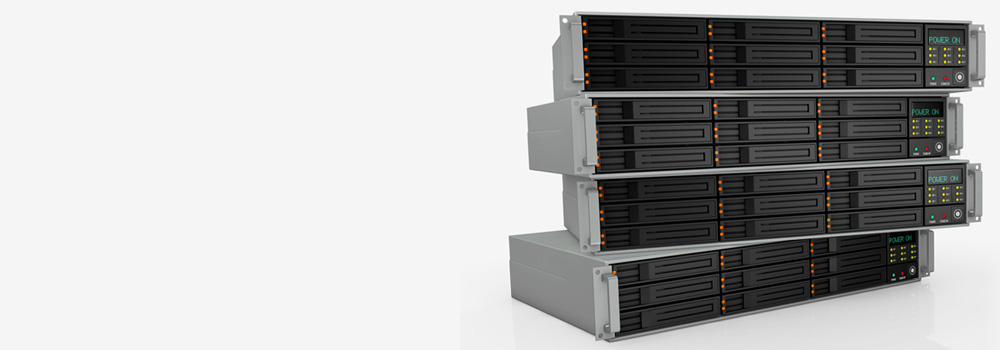
For 25 years, Swansea Data Recovery has been the UK’s leading specialist in recovering data from failed RAID 0 arrays. RAID 0 (striping) offers maximum performance but zero redundancy; the failure of a single drive results in complete data loss. We provide professional recovery services for all types of RAID 0 systems, from simple 2-disk setups to complex 32-disk arrays, across hardware controllers, software implementations, and NAS devices. Our state-of-the-art laboratory is equipped with the advanced tools and certified cleanroom environment necessary to tackle the simultaneous failure of multiple drives, controller malfunctions, and complex logical corruptions inherent to RAID 0 failures.
Supported RAID 0 Systems & NAS Devices
Top 20 NAS Brands & Popular Models Supporting RAID 0 in the UK:
-
Synology: DiskStation DS220+, DS920+, DS1621+
-
QNAP: TS-253D, TVS-872X, TS-1635AX
-
Western Digital (WD): My Cloud EX2 Ultra, My Cloud Pro PR4100
-
Seagate: IronWolf NAS, Seagate NAS 4-Bay
-
Buffalo Technology: LinkStation LS520D, TeraStation 5120Rh
-
Netgear: ReadyNAS RN212, RN626X
-
Drobo: 5N2, 5C
-
Asustor: AS5304T, AS6602T
-
Thecus: N2350, N8810U-G
-
Terramaster: F5-422, T9-450
-
LaCie: 2big, 5big
-
Lenovo: IX4-300D, PX4-300D
-
Dell EMC: PowerVault NX3240
-
HP: ProLiant MicroServer Gen10 Plus
-
Acer: Altos F300
-
Toshiba: Canvio Personal Cloud 3TB
-
Mediasonic: HFR2-SU3S2
-
ZyXEL: NAS540
-
D-Link: DNS-320L
-
StarTech.com: 4 Bay USB 3.0 RAID Enclosure
Top 15 RAID 0 Server Brands & Popular Models:
-
Dell EMC: PowerEdge R740xd, PowerVault MD1400
-
Hewlett Packard Enterprise (HPE): ProLiant DL380 Gen10, MSA 2050
-
IBM/Lenovo: ThinkSystem SR650, System x3550 M5
-
Supermicro: SuperServer 2028U-TR4, 6048R-E1CR24N
-
Fujitsu: PRIMERGY RX2530 M5
-
Cisco: UCS C240 M5
-
Oracle: Sun Fire X4270 M3
-
Intel: Server System R1304SPOSLNR
-
Acer: Altos R380 F2
-
ASUS: RS720-E9-RS12
-
Promise Technology: VTrak E610sD
-
Infortrend: EonStor DS 1024D
-
QNAP: TS-EC2480U R2
-
Areca: ARC-8050T3
-
Adaptec by Microchip: Adaptec 81685ZQ
Top 25 RAID 0 Errors & Our Technical Recovery Process
RAID 0 recovery is a forensic jigsaw puzzle that requires precise reassembly of data striped across multiple drives. Here is a detailed breakdown of our specialised processes.
1. Single Drive Physical Failure in a 2-Disk Array
-
Summary: One of the two drives in a RAID 0 array suffers a mechanical failure (head crash, PCB failure, motor seizure), rendering the entire array inaccessible.
-
Technical Recovery: We begin with physical repair of the failed drive in our Class 100 cleanroom. This may involve a head stack assembly (HSA) transplant from a compatible donor drive, PCB repair with ROM transfer, or spindle motor replacement. Once the drive is physically stable, we create a sector-by-sector image using a hardware imager (PC-3000, DeepSpar) with adaptive reading to handle any weak sectors. With both drives imaged, we proceed to virtual reassembly.
2. Multiple Simultaneous Drive Failures
-
Summary: Two or more drives in the RAID 0 array fail at or near the same time, due to factors like power surges, environmental issues, or being from the same manufacturing batch reaching end-of-life simultaneously.
-
Technical Recovery: This requires simultaneous physical recovery of multiple drives. Each failed drive undergoes individual assessment and repair in our cleanroom. We prioritize drives based on their potential data content and recoverability. After physical stabilization and imaging of all drives (including partial images of severely damaged ones), we use advanced RAID reconstruction software to assemble the array using whatever data sectors we were able to recover from each drive.
3. RAID Controller Failure & Metadata Loss
-
Summary: The hardware RAID controller fails or loses its configuration, erasing the critical parameters needed to reassemble the RAID 0 array: stripe size, disk order, and start offset.
-
Technical Recovery: We create forensic images of all member drives. We then use RAID reconstruction tools (UFS Explorer, R-Studio) to perform parameter auto-detection. The software tests thousands of combinations of stripe sizes (from 4KB to 1MB+) and disk orders, looking for coherent file system signatures across stripe boundaries. The correct configuration is identified when the software can detect a valid file system (e.g., NTFS’s $MFT or EXT4’s superblock) spanning multiple drives correctly.
4. Incorrect Drive Reordering After Removal
-
Summary: Drives were removed from the array for maintenance or cleaning and reinserted in the wrong physical bay order, scrambling the data sequence.
-
Technical Recovery: We image all drives and approach this as a combinatorial problem. For an n-drive array, there are n! (n factorial) possible order permutations. Our software tests these permutations systematically, identifying the correct order by verifying data continuity across stripe boundaries and validating resulting file system structures. The order that produces consistent, readable files across the entire virtual volume is the correct configuration.
5. Bad Sectors/Unreadable Areas on One or More Drives
-
Summary: One or more drives develop bad sectors or unstable read areas, creating gaps in the data stripes and preventing array assembly.
-
Technical Recovery: We use hardware imagers with advanced read retry capabilities on each affected drive. The imagers perform multiple read attempts with adjusted timeout parameters and may apply firmware-level tweaks to temporarily reduce read retry thresholds. We create a bad sector map for each drive, and our virtual RAID assembler is configured to treat these sectors as empty (filled with zeros), allowing recovery of data from intact stripes while minimizing the impact of localized media damage.
6. File System Corruption on the RAID 0 Volume
-
Summary: The file system (NTFS, HFS+, EXT4) on the assembled RAID 0 volume becomes corrupted due to software errors, unsafe shutdowns, or malware, while the underlying drives and RAID structure remain healthy.
-
Technical Recovery: After ensuring the physical drives are healthy and correctly assembling the RAID 0 volume virtually, we focus on file system repair. For NTFS, we use tools to repair the Master File Table ($MFT) using its mirror copy ($MFTMirr). For HFS+, we rebuild the Catalog File using allocation file data. For severe corruption, we perform raw file carving across the assembled volume, searching for file signatures to recover data without relying on the damaged file system structures.
7. Partial Write/Write Inconsistency
-
Summary: A power loss or system crash occurred during a write operation, leaving some drives in the array with updated data while others have old data, creating inconsistencies in the stripes.
-
Technical Recovery: We analyse the array for inconsistent stripes by checking for abrupt changes in data patterns at stripe boundaries. Our software can identify these “broken” stripes. In some cases, we can use file system journaling features (NTFS $LogFile, EXT3/4 journal) to replay transactions and roll the file system back to a consistent state, though this is more challenging in RAID 0 than in redundant arrays.
8. Accidental Reformatting/Reinitialization
-
Summary: The entire RAID 0 array was mistakenly reformatted or reinitialized, overwriting the beginning of the volume including partition tables and file system metadata.
-
Technical Recovery: We image all drives and search for backup file system structures. For NTFS, we look for backup boot sectors typically located at the volume’s end. We also perform raw carving across the entire assembled volume, searching for file signatures (JPEG headers, ZIP file markers, etc.) to recover files without relying on the damaged file system metadata. The striped nature of RAID 0 makes this process more complex but often still feasible.
9. Firmware Corruption on Member Drives
-
Summary: Firmware corruption on one or more drives prevents them from being properly recognized or read by the system, though the physical platters may be undamaged.
-
Technical Recovery: We use specialized tools (PC-3000) to place the affected drives into technological mode, bypassing the public firmware. We can then directly access the service area on the platters to repair corrupted firmware modules or simply read the user data area directly to create a stable image for RAID reconstruction, effectively bypassing the drive’s normal operating system.
10. Partition Table Corruption on RAID Volume
-
Summary: The partition table (MBR or GPT) on the assembled RAID 0 volume is damaged or overwritten, making the volume appear unallocated.
-
Technical Recovery: After virtually reassembling the RAID 0 volume, we scan the beginning and end of the volume for backup partition tables. For GPT, we look for the secondary header at the volume’s end. For MBR, we search for backup copies and validate partition boundaries against file system signatures. We manually reconstruct the partition table with correct starting LBA and size parameters based on this analysis.
11. Controller Cache Corruption
-
Summary: A faulty RAID controller with a corrupted write-back cache writes inconsistent data across the drives in the array.
-
Technical Recovery: We bypass the faulty controller entirely by connecting drives directly to our forensic workstations. After imaging all drives, we assess the level of corruption. In some cases, we can identify patterns of corruption and develop custom correction algorithms, though severe cache corruption often requires extensive manual repair of affected files.
12. Drive Size Mismatch After Replacement Attempt
-
Summary: A failed drive was replaced with one of a different capacity, preventing the controller from properly rebuilding the array (in systems where rebuild is attempted) or reassembling it.
-
Technical Recovery: We obtain a drive matching the original capacity and specifications. If the original failed drive is unrecoverable, we work with the partial data from the remaining drives. Our virtual RAID reconstruction can handle size mismatches by treating the array as having the capacity of the smallest drive, potentially recovering a significant portion of the original data.
13. NAS Operating System Corruption with RAID 0
-
Summary: The NAS device’s operating system (DSM, QTS, etc.) becomes corrupted, preventing access to the RAID 0 volume, though the drives themselves are physically healthy.
-
Technical Recovery: We remove the drives from the NAS and connect them directly to our recovery workstations. We then work with the raw drives to determine the RAID 0 parameters (stripe size, order) and virtually reassemble the array, completely bypassing the NAS operating system and its potential corruption issues.
14. S.M.A.R.T. Errors Causing Drive Drop-out
-
Summary: One or more drives develop S.M.A.R.T. errors that cause the controller to preemptively drop them from the array as a precautionary measure.
-
Technical Recovery: We assess the actual severity of the S.M.A.R.T. errors. Many are predictive rather than indicative of immediate failure. We use hardware imagers to create stable images of the drives, often by temporarily disabling certain S.M.A.R.T.-related features in the drive’s firmware. With all drives imaged, we proceed with standard RAID 0 reconstruction.
15. Overheating Damage to Multiple Drives
-
Summary: Chronic overheating in a poorly ventilated enclosure damages multiple drives in the array, potentially causing both electronic and media damage.
-
Technical Recovery: Each affected drive requires individual assessment and repair. This may include PCB rework to address heat-damaged components, and in severe cases, cleanroom work to address media degradation. We image each drive after stabilization, with our hardware imagers configured to handle the increased read instability typical of heat-damaged media.
16. Power Surge Damage
-
Summary: A power surge damages components on the drive PCBs and potentially the RAID controller.
-
Technical Recovery: We diagnose and repair damaged PCBs, typically replacing TVS diodes, fuses, and motor driver ICs. Critical to this process is transferring the unique adaptive data from the original PCB ROM to the replacement board. We then image all drives and proceed with virtual reconstruction, bypassing the potentially damaged controller.
17. Viral Encryption on RAID 0 Volume
-
Summary: Ransomware encrypts the files on the assembled RAID 0 volume.
-
Technical Recovery: After ensuring physical drive health and correctly reassembling the RAID 0 volume virtually, we apply standard ransomware response techniques. This includes checking for shadow copies, searching for decryption tools for known strains, and in some cases, performing raw carving to recover file fragments that may have escaped encryption.
18. Incorrect RAID Configuration Migration
-
Summary: An attempt to migrate the RAID 0 array to a different controller or system with different settings results in configuration corruption.
-
Technical Recovery: We work with the original drives to reconstruct the original RAID 0 parameters. This often involves analysing data patterns across the drives to determine the original stripe size and order, then virtually reassembling the array with these original parameters rather than the failed migration settings.
19. Backplane Connection Issues
-
Summary: Faulty backplane connections in the server or enclosure cause intermittent communication errors with the drives.
-
Technical Recovery: We remove all drives from the problematic enclosure and connect them directly to controlled ports on our forensic workstations. This eliminates backplane issues as a variable and allows us to obtain stable images of each drive for subsequent virtual RAID reconstruction.
20. Manufacturing Defects in Multiple Drives
-
Summary: Drives from the same manufacturing batch suffer from identical defects that manifest simultaneously or in quick succession.
-
Technical Recovery: We address each drive individually, but with awareness of the common defect pattern. This may involve developing a specific firmware patch or read strategy tailored to the particular defect. The batch nature of the failure often means we can apply lessons learned from the first drive recovery to subsequent drives in the array.
21. Human Error During Maintenance
-
Summary: During maintenance, a technician accidentally disconnects multiple drives or issues incorrect commands to the array.
-
Technical Recovery: We assess the physical and logical state of each drive. If the error was purely logical (wrong commands), we focus on RAID parameter reconstruction and file system repair. If physical disconnection caused damage, we address any resulting physical issues before proceeding with logical recovery.
22. File System Upgrade Failure
-
Summary: An attempt to upgrade or change the file system on the RAID 0 volume (e.g., HFS+ to APFS) fails or is interrupted.
-
Technical Recovery: We attempt to reconstruct the original file system metadata. For interrupted conversions, we may be able to complete the process virtually in our recovery environment. For failed upgrades, we often focus on raw data carving from the assembled volume rather than attempting to repair the damaged file system structures.
23. Sector Translation Issues
-
Summary: Drives with different sector sizes (512e vs 4Kn) or translation issues cause misalignment in the RAID 0 stripes.
-
Technical Recovery: We analyse the drives to determine their native sector sizes and any translation layers in use. Our virtual RAID reconstruction software can account for these differences by applying appropriate offsets and adjustments to ensure proper stripe alignment during the reassembly process.
24. Complex Striping with Offset
-
Summary: Some RAID controllers use additional parameters like start offset or delay, making reconstruction more complex than simple striping.
-
Technical Recovery: Our reconstruction tools test for these additional parameters alongside standard stripe size and order. We look for optimal alignment of file system structures across the drives, which reveals both the basic striping parameters and any additional offsets or delays used by the original controller.
25. Recovery from Partially Overwritten Array
-
Summary: After failure, new data was written to portions of the drives or a new array was created over the old one.
-
Technical Recovery: We identify which areas of the drives have been overwritten and focus recovery efforts on the untouched regions. While complete recovery is often impossible in this scenario, we can frequently recover significant portions of the original data by working with the remaining intact stripes and using file carving techniques to reconstruct files from the recoverable fragments.
Why Choose Swansea Data Recovery for Your RAID 0?
-
25 Years of RAID 0 Expertise: Specialized knowledge in handling non-redundant array failures
-
Advanced Physical & Logical Recovery: Combined cleanroom and virtual reconstruction capabilities
-
Parameter Auto-Detection: Sophisticated software for determining RAID configurations
-
Proprietary Tools: Custom-developed solutions for complex reconstruction scenarios
-
Free Diagnostics: Comprehensive assessment and clear, fixed-price quote
Contact Swansea Data Recovery today for a free, confidential evaluation of your failed RAID 0 array. Trust the UK’s No.1 RAID 0 recovery specialists to recover your critical data.